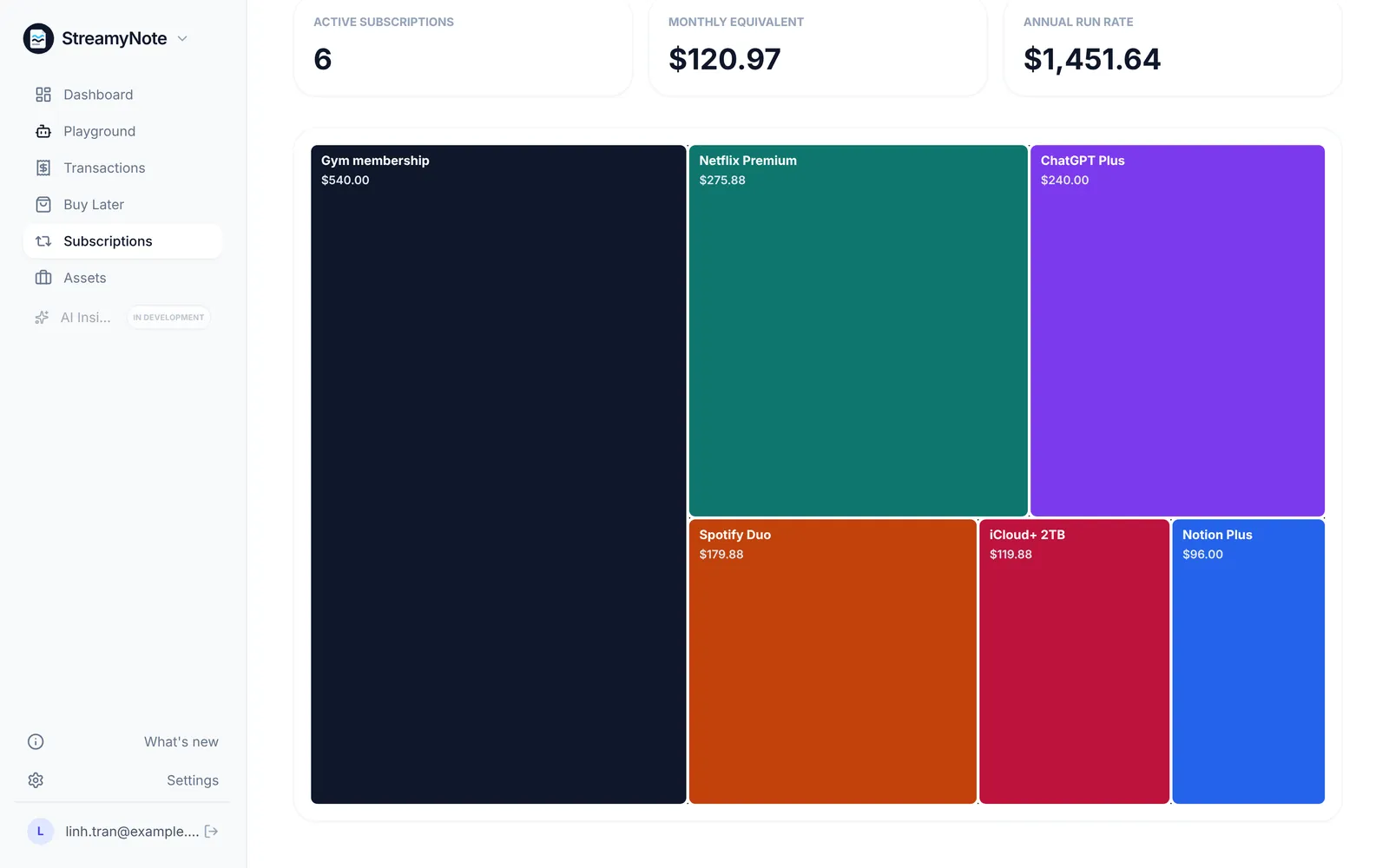
Monthly equivalent
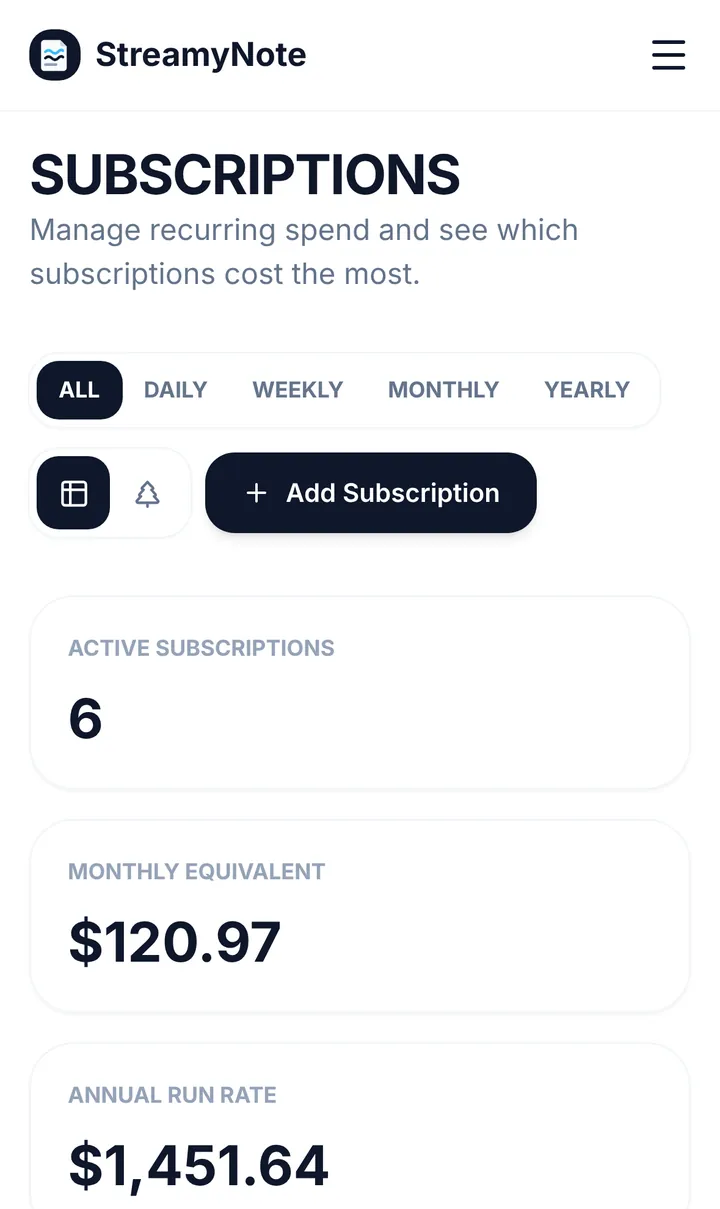
Daily, weekly, monthly and yearly plans are normalized to one monthly figure you can compare.
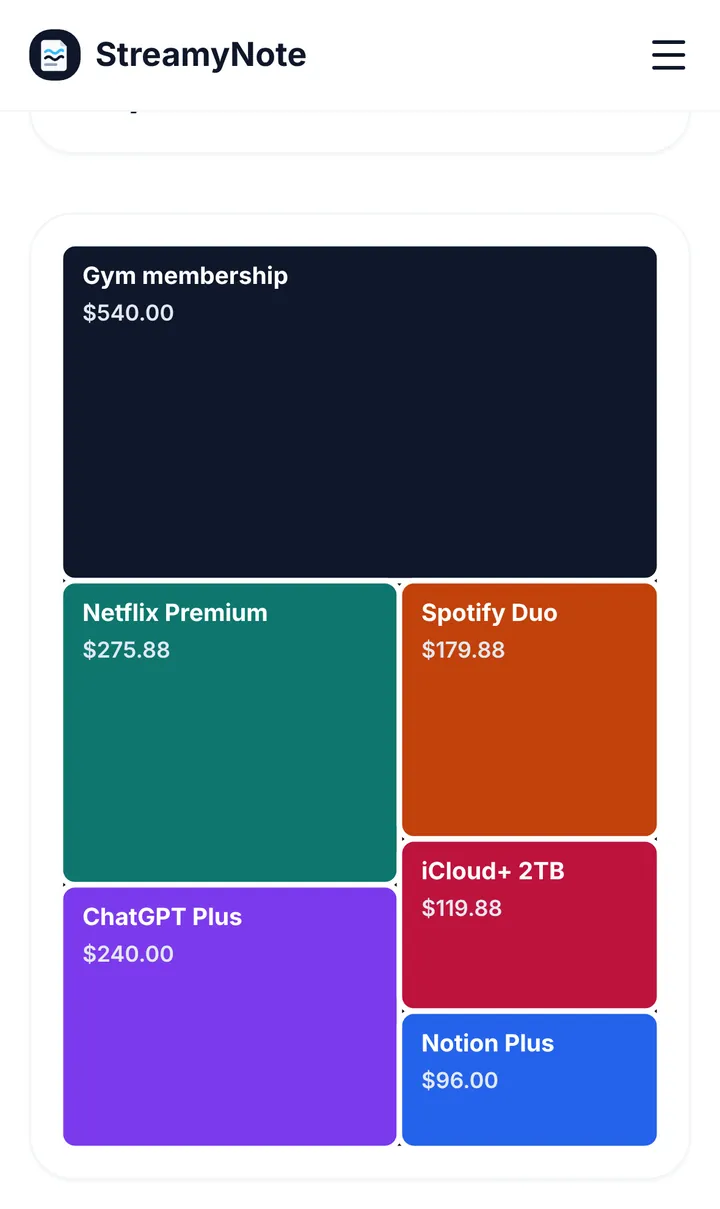
Small monthly plans add up. StreamyNote lists every subscription with its billing cycle, status, and next billing date, shows what they cost per month and per year, and draws a treemap so the biggest costs jump out — so you can decide what to keep.
What you get
Daily, weekly, monthly and yearly plans are normalized to one monthly figure you can compare.
See what your active subscriptions cost over a full year, and which ones cost the most.
The dashboard warns you when a subscription is due within the next three days.
Link transactions to a subscription to see its payment history and skip alerts for periods already paid.
Keep paused and canceled plans for reference without counting them in your totals.
Switch to the treemap and every plan becomes a tile sized by its yearly cost, so the biggest drains stand out at a glance.
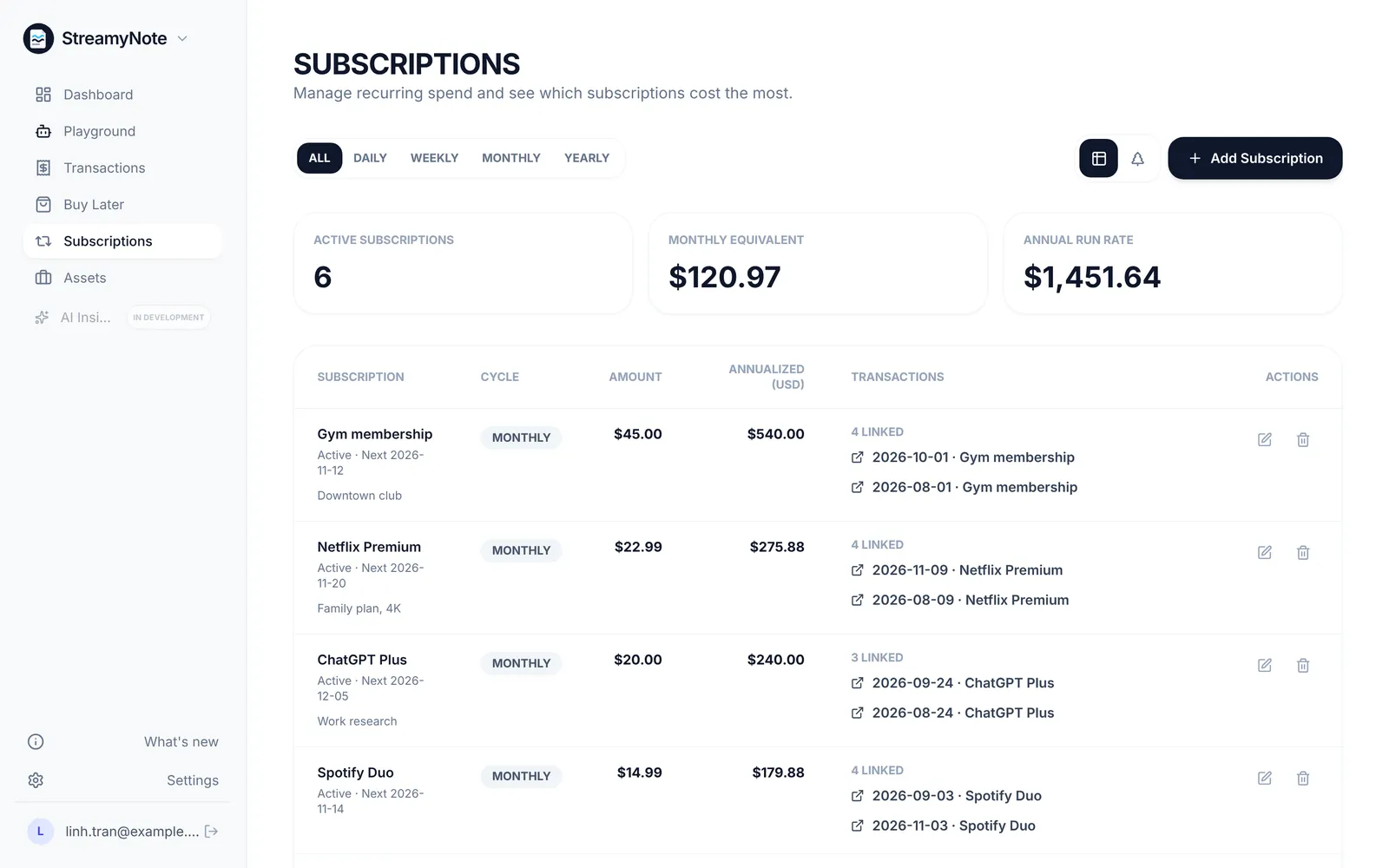
Table view
Prefer details? The table lists each plan with its cycle, amount, yearly cost, next billing date, and the payments linked to it. Filter by billing cycle and switch back to the treemap any time.
How it works
Enter the name, amount, currency, billing cycle and next billing date for each subscription.
When a renewal is charged, link the transaction to the subscription to build its history.
Check the monthly equivalent, annual run rate and treemap, then pause or cancel what you no longer use.
FAQ
Each active subscription is converted to a monthly amount from its billing cycle — for example a yearly plan is divided by twelve — and added up in your default currency.
Yes. The dashboard shows an upcoming payment banner when an active subscription is due within three days and hasn’t been paid for that period.
No. StreamyNote tracks your subscriptions; you cancel them with the provider and mark them as canceled in StreamyNote.
Yes. Subscription tracking is included in the free StreamyNote workspace.
More features
Log income and expenses with categories, tags, and currencies, then see where money goes each day and month.
Log money by chat or by snapping a receipt, add subscriptions and assets, ask about your spending, and get a daily report.
Track crypto, stocks, gold and cash by lot, with cost basis, market value, gain/loss and return in one view.
Free to use
Create a free account and start using the dashboard, transaction flows, asset tracking, subscription views, Buy Later, and AI assistant.